Paper to Digital: Staff Paper & DAW Workflow
The creative process for a musician often begins in the quietest moments. You might be sitting at a piano or holding a guitar when a melody suddenly comes to mind. In these moments, technology can sometimes feel like a barrier. Opening a heavy Digital Audio Workstation (DAW) and loading plugins takes time. This is why many professional composers still reach for a physical sheet of paper first. How do you bridge the gap between a handwritten sketch and a digital production?
When you transition from pencil sketches to a finished digital track, you're embracing what many professional composers call a "hybrid workflow"—the secret sauce behind countless chart-topping productions. It allows you to capture the raw emotion of a melody without getting lost in technical settings. By using free staff paper to jot down your ideas, you create a physical map for your digital journey. This guide explores the best ways to integrate traditional notation into your modern music production setup.
Whether you are a film composer or a student, mastering this transition is essential. We will explore how to scan your work, use recognition software, and organize your projects efficiently. By the end, you will see how physical paper remains the ultimate tool for musical inspiration.
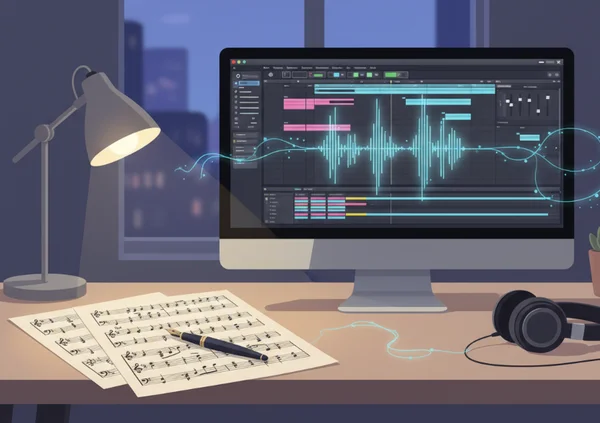
Understanding the Hybrid Music Creation Workflow with Staff Paper
A hybrid music creation workflow is the practice of using both analog and digital tools to finish a project. Many people think they must choose between being a "traditional" composer or a "digital" producer. In reality, the most successful musicians use both. They might start with a customizable template to write a lead sheet and then record it into a DAW like Ableton or Logic Pro.
This workflow respects the speed of the human hand. While a computer is great for editing, the human brain often thinks more clearly when writing on a flat surface. Understanding this balance is the first step toward a more productive creative life.
Why Paper Still Matters in Digital Music Production
Even in a world of high-speed AI and virtual instruments, paper remains relevant for several reasons. First, there is zero latency on a piece of paper. You do not have to worry about buffer sizes or software crashes when you are writing down a chord progression. It provides a tactile connection to the music that a mouse and keyboard cannot replicate.
Second, paper limits distractions. Opening a DAW presents you with thousands of sounds and visual meters. This can cause "choice paralysis," where you spend more time selecting a synth sound than actually writing your song. Using printable staff paper forces you to focus purely on the notes, rhythms, and harmony. It is a dedicated space for your musical thoughts to grow.
Benefits of Integrating Paper and Digital Tools
Integrating these two worlds offers the best of both. You get the creative freedom of handwriting and the powerful editing capabilities of digital software. One major benefit is the ability to archive your "brainstorms." A digital file can be lost or become incompatible with new software. However, a physical notebook of sketches lasts a lifetime.
Another benefit is communication. If you are working with session musicians, handing them a clean, printed piece of sheet music is much more professional than showing them a computer screen. You can have your templates ready in seconds, ensuring you always have the right format for any instrument, from piano to bass.
Digital Music Notation Integration Techniques
Once you have your ideas on paper, the next step is moving them into the digital realm. This used to be a tedious process of manual entry, but technology has made it much faster. Today, you can use high-resolution cameras and smart software to do the heavy lifting for you.
The goal is to spend less time "typing" notes and more time "sculpting" the sound. There are two primary ways to handle this: visual importing and automated notation recognition. Both methods require high-quality source material to work effectively.
Scanning Handwritten Staff Paper into Your DAW
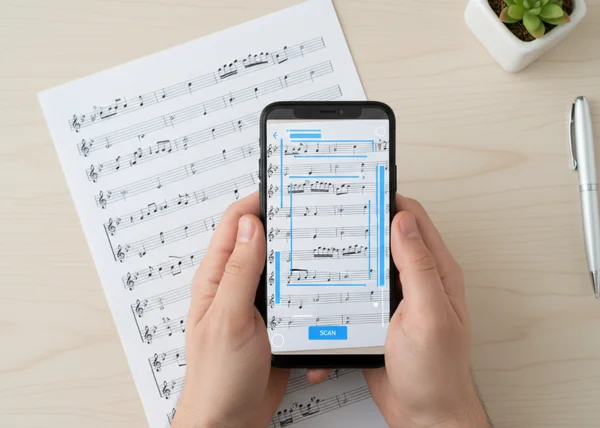
The simplest way to start is by creating a digital image of your handwritten work. You do not necessarily need a professional scanner. A modern smartphone camera is often enough. The key is to ensure the lighting is even and the paper is flat. When you use high-quality PDF templates, the lines are crisp and clear. This makes the scanning process much more accurate for your software.
Once you have a digital copy, such as a PDF or JPEG, you can import it directly into your DAW as a reference track. Many producers keep the image of the handwritten score on a second monitor. This acts as a constant guide while they play the parts into their MIDI controller. It keeps the original "soul" of the composition visible at all times.
Using Recognition Software with Manuscript Paper
Need to convert handwritten notes into editable MIDI? Notation recognition software is your solution. Tools like PhotoScore or various mobile apps use Optical Music Recognition (OMR) to read your notes. They analyze the lines, stems, and heads of the notes you wrote on your staff notation paper.
After the software "reads" your handwriting, you can export a MusicXML or MIDI file. You can then drag this file into your DAW. This instantly populates your session with the correct notes and rhythms. While you might need to do some minor cleaning of the data, it is significantly faster than entering every single note by hand with a mouse.
Printed Sheet Music Digital Transfer Best Practices
To make the transition seamless, you need to follow a few professional standards. If your digital setup and your physical paper are not "in sync," you will face technical headaches later. Proper preparation ensures that your paper sketches align perfectly with your digital grid.
These best practices help you maintain the "flow" of your work. You want to avoid stopping your creative momentum to fix a technical error. By setting up your environment correctly, you ensure that the music remains the priority.
Setting Up Your DAW for Handwritten Notation Import
Before you start recording or importing files, set your DAW’s project settings to match your paper sketch. If you wrote your melody at 120 BPM on a 12-line staff, make sure your DAW is set to the same tempo and time signature. Creating "Markers" in your DAW that correspond to the measure numbers on your paper is a great way to stay organized.
You can also create a "Reference Track." This is a simple audio or MIDI track where you record a rough version of the handwritten sketch. Once the structure is in place, you can build the more complex digital arrangement on top of it. This keeps your digital production grounded in the original intent of the handwritten piece.
Organizing and Managing Hybrid Projects
Organization is the secret to a successful hybrid workflow. It is easy to lose track of which paper sketch belongs to which digital project. We recommend a simple naming convention. For example, if you download a piano staff template, name the physical file and the digital folder the same thing.
Keep a physical folder for your printed music and a matching digital folder on your computer. When you finish a session, take a quick photo of your updated notes and save it in the digital folder. This ensures that even if you lose the physical paper, your latest ideas are safely backed up alongside your DAW session files.
Enhance Your Creative Process with Paper-Digital Integration
Here's the real secret: your tools should amplify your creativity, not restrict it. By combining the immediacy of handwritten ideas with the power of digital production, you're creating a workflow that respects both inspiration and execution. You unlock a new level of musical expression when you use blank sheet music as your starting point. You are no longer tethered to a screen, yet you aren't limited by the boundaries of a physical page.
Start your next project by stepping away from the computer. Print out a few sheets of the exact template you need and let your imagination run wild. When you are ready, use the techniques we discussed to bring those ideas into the digital world. This hybrid approach will make your music more organic and your workflow more efficient. Most importantly, it will make your creative life much richer.
FAQ Section
How do I transfer handwritten staff paper to my DAW?
The most common way is to take a clear photo or scan of your paper and use it as a visual reference on your screen. If you want the notes to become MIDI data, you can use OMR (Optical Music Recognition) software. To get the best results, start with a clean template so the software can easily recognize the staff lines.
What's the best way to integrate paper sketches with digital music production?
The best way is to use paper for the "ideation" phase and the DAW for the "production" phase. Write your melodies, chord progressions, and structural notes on paper first. Then, set your DAW tempo to match your sketch and record your parts using the paper as your roadmap. You can download various styles of paper to suit different instruments.
Can I scan staff paper into digital notation software?
Yes, most professional notation programs like Sibelius, Finale, or Dorico have features or add-ons that allow you to import scanned images. The software analyzes the image and converts it into editable digital notation. Using a high-quality PDF as your base ensures that the staff lines are perfectly spaced for the scanner.
What tools help bridge physical and digital music workflows?
Key tools include a smartphone with a good camera, OMR software (like ScanScore), and a MIDI controller. However, the most basic and essential tool is a reliable source of manuscript paper. Having the right paper for the right instrument, like guitar TAB or piano staves, makes the digital transition much smoother.
How do I maintain creative flow when switching between paper and digital tools?
To maintain flow, don't switch back and forth too often. Spend a dedicated hour writing on paper, then spend the next hour in your DAW. Prepare your workspace by having your printed sheets ready before you start. This prevents you from having to stop and search for tools, allowing you to stay "in the zone" longer.